
Celebrating 60 years of faith, family and fellowship — one smile at a time.
Professional photography is free, and every family receives a complimentary 8×10 photo and church directory.
How to Schedule Online
1. Access the Universal Church Directories website scheduler at https://schedule.ucdir.com
2. Enter our church code and password and click the “Log In” button
Church Code: mi2164
Password: photos1
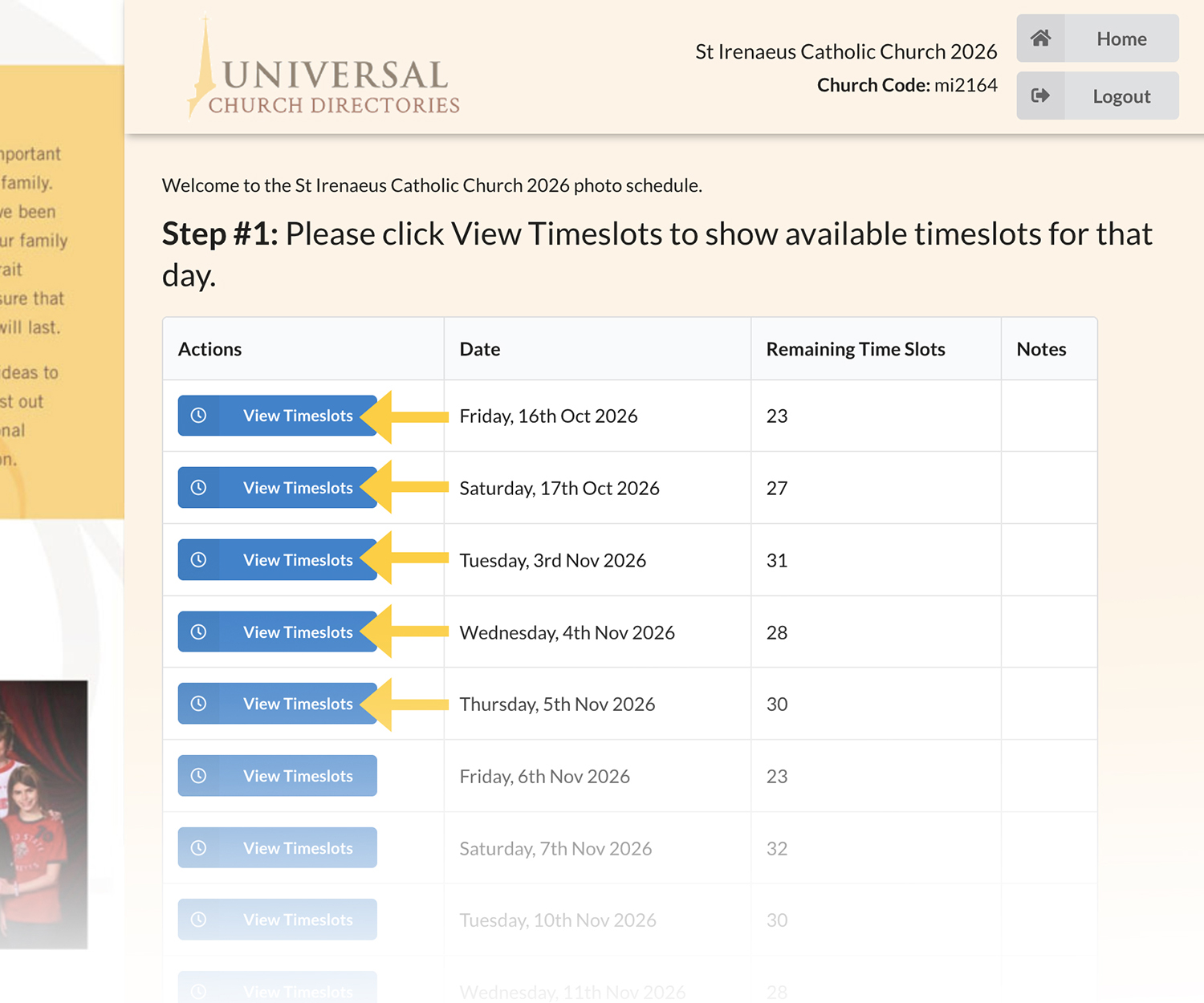
3. Find your desired photography date and click the “View Timeslots” button to the left of that date
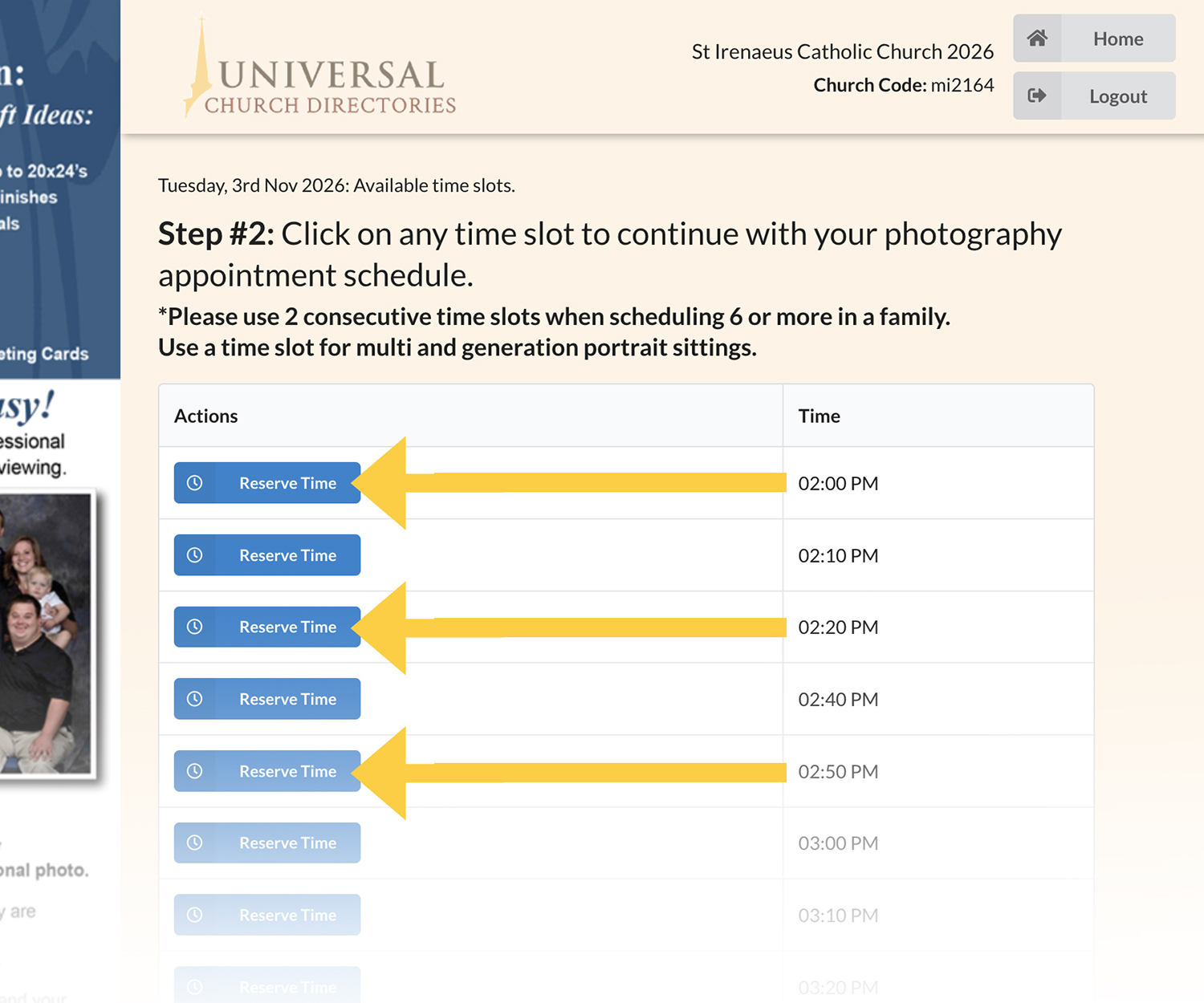
4. Click “Reserve Time” beside the desired photography appointment time
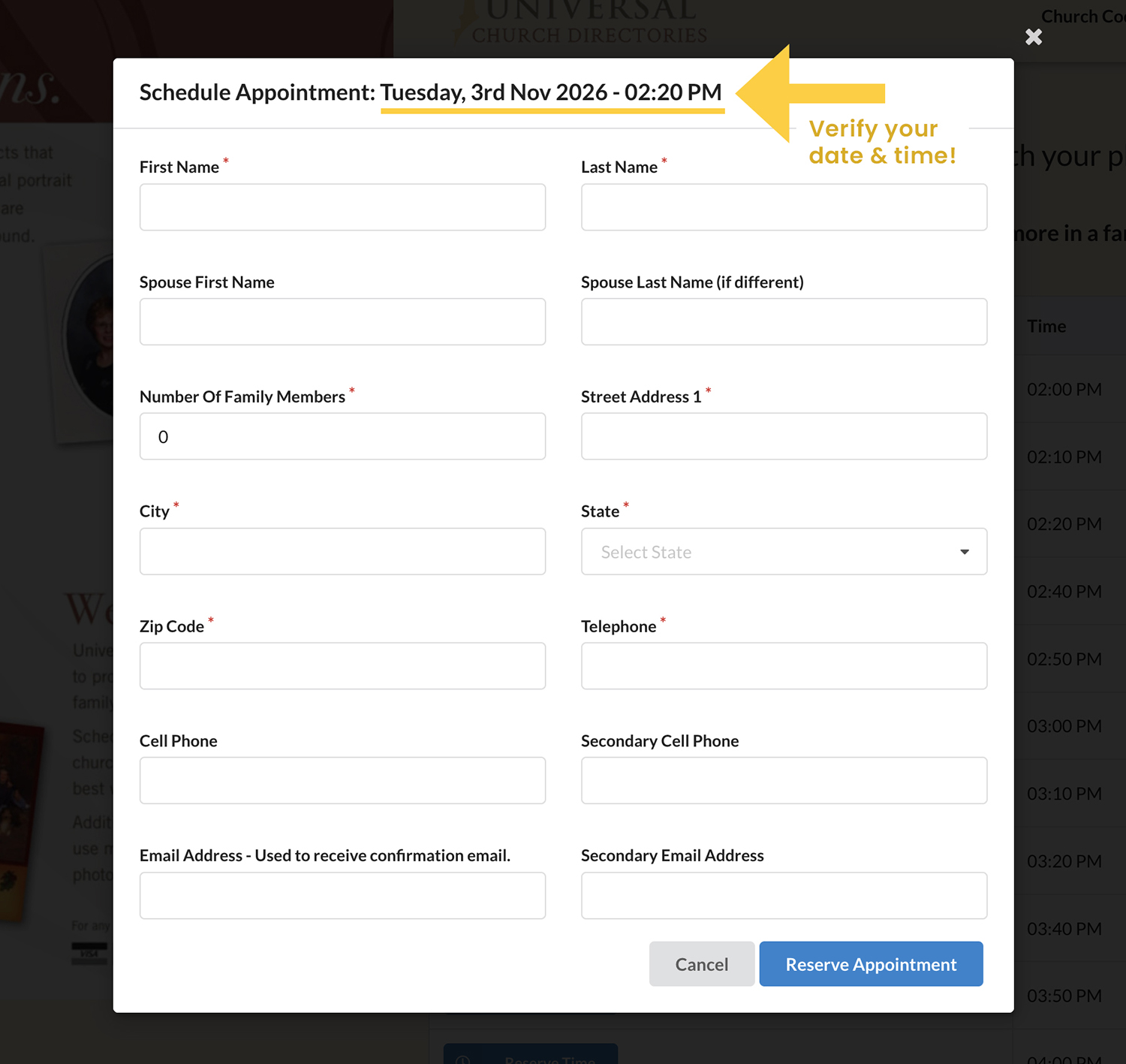
5. Enter the appropriate information in all required fields (indicated by the asterisk)
6. Click the “Reserve Appointment” button at the end of the form to complete scheduling
7. Please note that families of 7 or more must reserve two appointments consecutively (e.g.: 6:00pm and 6:10pm)
8. Screenshot or save the next screen to print and use as a reminder of your family’s photography appointment
Questions? Need to change or cancel your appointment?
Contact Ken Sigler at 248-651-9595 x 113 or by email at ksigler@stirenaeus.org